


- By Sangeetha Mahesh
- January 17, 2026
Need to track your E Swathu application? If you’ve applied, knowing how to check your e swathu status or e swathu application status is essential for staying updated.
E-Swathu is the Karnataka Government’s digital initiative regarding property records. It primarily focuses on promoting transparency in rural property ownership documentation. It allows the applicant to verify details easily through the official portal. The platform reduces fraud over land and unauthorised transactions.
Thus, checking the e-swathu status online becomes crucial for the owner. Today, we bring you a blog that helps you to track your current e swathu status.
E-Swathu application status online is very simple and straightforward. It is essential to check the status to stay updated on ownership verification and to prevent fraud. Our easy-to-read guide ensures you can monitor your e swathu application status with ease.
What is the e-Swathu in Karnataka?
E-Swathu is implemented by the Rural Development Department. Its a portal used to keep the record of updated ownership of property under Gram Panchayats. It updates records of transfer and inheritance, court cases, and land acquisition changes. As a result, the government departments can access verified property information without any problem. Thus, the portal coordinates the work of panchayats, courts, and planning authorities.
Property owners can also get e-Khata using the E-Swathu portal, making it easier to complete ownership verification and tax compliance.
Why Checking E-Swathu Application Status Is Important
Tracking the status of your e swathu application provides transparency and accountability. Also, the applicants will have an idea if there is pending approval or if it is fully approved. Transactions in properties can be projected to avoid some legal hindrances unexpectedly. Early checking also allows for correcting errors in the provided information. Thus, frequent tracking avoids rejections or prolonged verification problems.
Property owners with compliance issues can also convert BBMP B Khata to A Khata after verifying their records through E-Swathu.
Understanding the Forms Provided on the eSwathu Portal
The E-Swathu portal is known for offering Form 9 and 11 documents. Both of these forms play significant roles when it comes to non-agricultural properties. As a result, one should always consider the use and application process of these forms online. The reason is that the absence of these forms makes the sale of property impossible.
Many applicants are confused about Form-11 categories; understanding the difference between 11A and 11B Khata helps avoid documentation errors.
What is Form 9?
Form-9, or A Khata, is provided by Gram Panchayats. It specifically refers to properties that have been converted to non-agricultural land within village boundaries. In addition, properties are required to comply with town planning and revenue department requirements. Consequently, Tahsildar verification and Gramathana confirmation are required. In this case, Form-9 documents legal ownership of land to be registered or sold.
What Is Form-11 or Form 11B?
Form 11 is a very important Gram Panchayat document that covers the non-agricultural properties in rural areas. It covers the owner’s information, property area, property ID, tax assessments, and outstanding tax balances, which are essential for fraud prevention and legal verification. It is issued in accordance with the accounting standards of the Karnataka Panchayat Raj. Additionally, Form 11 is used in the assessment and compliance of property taxes, too.
How the E-Swathu Applications Were Reviewed and Approved
Once the form is submitted, the Gram Panchayat Secretary steps in and examines the form. After the thorough examination, if the secretary finds your application complete, then the application is approved.
On the requirement for modification, the modifications are proposed. Later on, the Panchayat Development Officer scrutinises the details about the properties entered by the applicants. Applications could be accepted or rejected in this manner. Thus, the status of the e-swathu application is highly crucial.
How to Check e-Swathu Status Online
If you have not yet applied, understanding the how to apply for E-Swathu online in Karnataka process is crucial before tracking your application status.
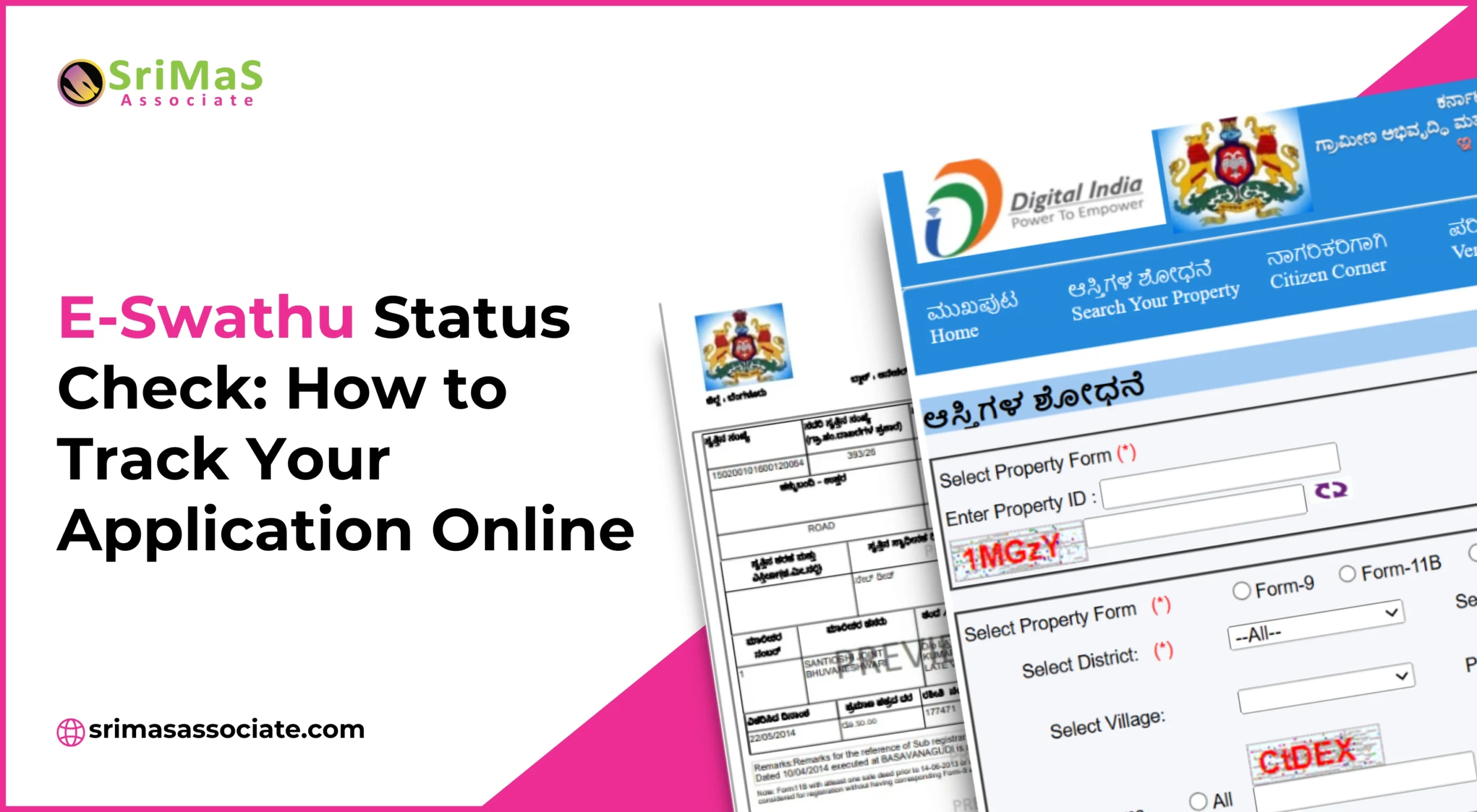
- First, visit the web portal at eswathu.karnataka.gov.in to check e swathu status.
- Next, click the “Search Your Property” option that’s big and visible.
- Thereafter, the district, panchayat, village, and property details are to be selected.
- Click Search to see ownership and document information.
- Finally, use the Document Number to download Form-9 or Form-11.
Steps to Search Property Details on E-Swathu
- Start by selecting “Printed Forms” or “All”, depending on your preference, from the dropdown options.
- Then, enter the name of the owner, property ID, or village details with care.
- The system presents the property classification and asset number accordingly.
- Moreover, document numbers permit the latter with easy PDF downloads to allow for verification.
- The portal, therefore, allows access to property records at any time.
How to Check Property Status Using the Kaveri Report
Kaveri Portal provide detailed information regarding the registration status of properties.
- Click on the “Reports” tab on the E-Swathu portal.
- Then, select Kaveri Reports and choose available search criteria. Hence, the buyer, seller and the status of registration can be viewed by the user.
- It increases the level of transparency within property transactions.
Procedures for Online Verification of Property Documents
Proper documentation is critical, and knowing the BBMP e-Khata documents and eligibility requirements helps ensure successful verification. Document verification is geared towards guaranteeing the authenticity of property certificates.
- First, simply click on “Verify” on the homepage of the portal.
- Next, you need to click “Verify Documents” and enter your document number.
- Consequently, the PDF files download with official digital signatures.
Verifying Eligibility for Property Registration Using Property ID
The portal also verifies if the property can be registered.
- First, go to the “Verify” tab and click on the selection for Registration Eligibility.
- Next, you need to enter your property ID into that field.
- The system will now determine whether registration is allowed.
This thereby prevents failed registrations at the sub-registrar offices.
Time Required to Get Form-9 Approval
Form-9 falls under the Sakala service ambit. Hence, the applicants usually get the approval in forty-five days. However, if some data gets missed or filled incorrectly, there are some delays. Hence, it is helpful to check the swathu status from time to time.
Conclusion
All in all, E-Swathu has revolutionised property record management in Karnataka. Therefore, the status of the E-swathu application makes sure the property owner understands the legality with precision. In addition, it reduces one’s dependency on obtaining a manual visit to the office. Thanks to this platform, now the property transactions will be fast and transparent. You can easily track your E-Swathu application status. Every owner of the property should keep tracking their E-Swathu records on a regular basis.
If you find it difficult to track your E-Swathu application status or find that it is pending or rejected, you can also contact a professional service. They are professional and make the entire process easy.

Sangeetha Mahesh Author
Sangeetha Mahesh is the founder of SriMas Associate, a company that helps people with licenses, insurance, and managing properties. She has studied many subjects like B.Com, MA, and LLB, and has over 15 years of experience in helping businesses and individuals with complicated rules and managing their assets. Sangeetha's work is focused on providing solutions that are good for her clients, and she works hard to give the best service. On her blog, she shares helpful tips and advice about licenses, insurance, and property management, so that her readers can make smart choices.