


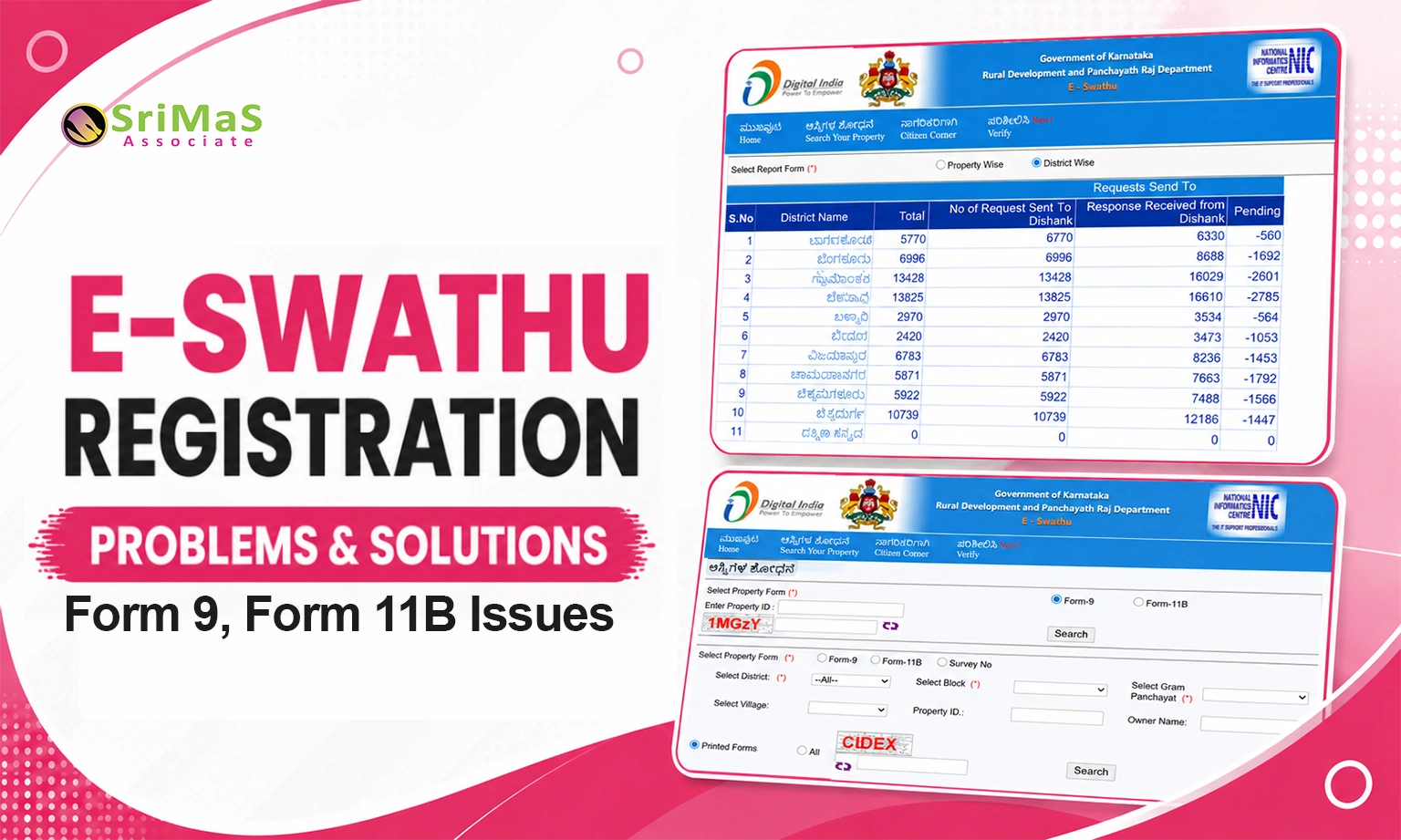
E Swathu Registration Problems and their Solutions help Karnataka property owners fix Form 9, Form 11, document, approval, and verification issues.
E Swathu is an important online property record system used for Gram Panchayat properties in Karnataka. It helps maintain digital property records and issue documents such as Form 9, Form 11A, and Form 11B for eligible properties under Gram Panchayat limits.
For many property owners, E Swathu registration becomes confusing because of issues like property not showing online, wrong owner name, property ID mismatch, Form 9 not issued, Form 11B not available, document mismatch, approval delay, or certificate verification problems.
These issues can delay property registration, sale, purchase, property tax work, loan processing, and ownership verification. The good news is that most E Swathu registration problems can be solved by checking the correct property details, preparing proper documents, visiting the concerned Gram Panchayat, and verifying records through the official E Swathu portal.
What Is E Swathu Registration?
E Swathu registration is the process of entering, verifying, and maintaining property details in the Gram Panchayat property record system. Property owners who want to apply E Swathu online must ensure that all property records and supporting documents are accurate before starting the application process.
It is mainly used for non-agricultural properties that come under Gram Panchayat jurisdiction. Through E Swathu Karnataka, property owners may get important records such as Form 9, Form 11A, or Form 11B depending on the property type, record status, and eligibility.
E Swathu registration is useful for:
- Gram Panchayat property records
- Form 9 generation
- Form 11 and Form 11B records
- Property tax record maintenance
- Property registration support
- Ownership verification
- Property sale and purchase documentation
- Rural and semi-urban property record management
In simple words, E Swathu helps bring Gram Panchayat property records into a digital and verifiable system.
12 Common E-Swathu Registration Problems and Their Solutions
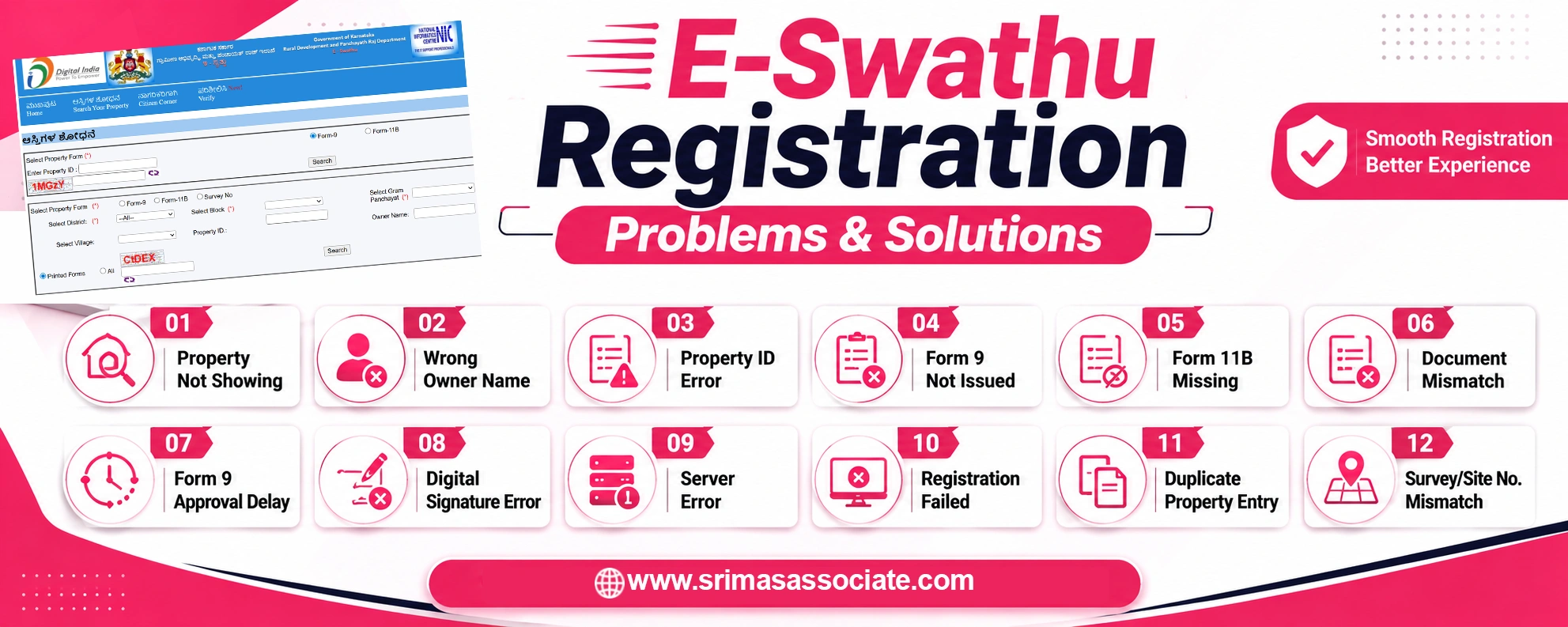
Below are the 12 most common E Swathu registration problems faced by property owners in Karnataka, along with practical solutions.
Problem 1: Property Not Showing in E Swathu Portal
One of the most common E Swathu registration issues is that the property does not appear in the official portal search.
Possible Reasons
- Property details are not entered in the system
- Wrong district, taluk, block, Gram Panchayat, or village selected
- Incorrect property ID entered
- Survey number mismatch
- Property record is still under approval
- Panchayat-level data entry is pending
- Old manual records are not updated digitally
- Duplicate or incomplete property entry exists
Solution
First, check whether you have selected the correct district, block, Gram Panchayat, village, and property form. If you are searching for Form 9 or Form 11B, enter the correct property ID or available property details.
If the property is still not visible, visit the concerned Gram Panchayat office with your sale deed, old tax receipts, previous property records, ID proof, and any available Form 9 or Form 11 copy. Ask the Panchayat officials to check whether the property record is entered, pending, rejected, or missing from the system.
Problem 2: Wrong Owner Name in E Swathu Record
Sometimes the owner name shown in E Swathu does not match the sale deed, Aadhaar card, PAN card, or tax records. This can create problems during property registration or transfer.
Possible Reasons
- Spelling mistake during data entry
- Old owner name not updated
- Sale deed details not reflected
- Inheritance or family transfer not updated
- Name mismatch between ID proof and sale deed
- Manual record converted incorrectly into digital record
- Mutation or ownership transfer pending
Solution
Submit a name correction request at the concerned Gram Panchayat. Carry all supporting documents such as sale deed, Aadhaar card, PAN card, address proof, property tax receipt, old Panchayat record, mutation document, or transfer document.
If the property was transferred through sale, gift, partition, inheritance, or court order, submit relevant proof. Make sure the corrected name matches official documents before final approval.
Problem 3: Property ID Mismatch
Property ID mismatch is another common E Swathu registration problem. If the property ID is wrong or linked to another property, the owner may not be able to download the correct Form 9 or Form 11B.
Possible Reasons
- Old manual records converted incorrectly
- Duplicate property entry
- Wrong property mapped to the ID
- Survey number entered incorrectly
- Village or Gram Panchayat code mismatch
- Data migration error
- Property boundaries not matching documents
Solution
Compare the property ID with your sale deed, tax receipt, survey number, old Panchayat record, and existing Form 9/Form 11 document. If the mismatch is confirmed, submit a correction request to the Gram Panchayat with supporting documents.
Do not proceed with property registration until the correct property ID is verified because wrong property details can create legal and documentation problems later.
Problem 4: Form 9 Not Issued
Many property owners face difficulty because Form 9 is not issued for their property. However, Form 9 is not available for every property automatically. The property must satisfy eligibility conditions under Gram Panchayat rules.
Possible Reasons
- Property is not eligible for Form 9
- Land is still agricultural
- Conversion order is missing
- Layout approval is missing
- Gramathana details are not available
- Ownership documents are incomplete
- Property record is under verification
- Required government or Panchayat approval is pending
Solution
First, check whether your property is eligible for Form 9. Keep all required documents ready based on your property category.
If any required document is missing, complete the documentation before applying again.
Problem 5: Form 11B Not Showing
Some property owners can see property details but cannot find Form 11B. This issue may happen due to incomplete tax records, pending Form 9, or data mapping issues.
Possible Reasons
- Form 9 is not approved
- Tax demand register is not updated
- Property tax details are missing
- Property not mapped properly
- Panchayat-level data entry pending
- Record still under workflow
- Property category not updated correctly
Solution
Check whether Form 9 is available and approved. If Form 9 is not generated, Form 11B may not appear properly.
Visit the Gram Panchayat with property tax receipts, old demand register details, sale deed, and property ID. Ask officials to check whether tax details and property records are properly updated in the system.
Problem 6: Document Mismatch During E Swathu Registration
Document mismatch is one of the biggest reasons for E Swathu registration delay or rejection. Even a small mismatch in name, survey number, boundary, or property measurement can create problems.
Possible Reasons
- Name mismatch in sale deed and ID proof
- Survey number mismatch
- Wrong property boundary details
- Layout approval not attached
- Conversion order missing
- Property tax receipt in old owner’s name
- Address mismatch
- Incomplete ownership chain
- Difference between manual and digital records
Solution
Prepare a clean document file before applying. Match all important details across documents, including owner name, property address, survey number, site number, property measurement, boundaries, and Gram Panchayat details.
If there is a mismatch, correct the source document first or submit a proper explanation with supporting proof. Avoid submitting incomplete documents because it can delay the E Swathu registration process.
Problem 7: Delay in Form 9 Approval
Form 9 approval may take time if verification is pending or documents are incomplete. Many owners get worried when the application does not move quickly.
Possible Reasons
- Officer verification pending
- Missing documents
- Panchayat workflow delay
- Survey or location verification pending
- High application load
- Portal or technical issue
- Approval pending at Gram Panchayat level
- Objection or clarification required
Solution
Track your application and follow up with the Gram Panchayat. Keep your application acknowledgement, receipt, and document copies safely.
If the delay is due to missing documents, submit them immediately. If the delay is due to verification, use the E-Swathu Status Check facility to review the current application status and ask for the expected next step from the concerned Gram Panchayat. Always communicate through official channels and keep written proof wherever possible.
Problem 8: Digital Signature or Certificate Verification Problem
E Swathu documents are digitally issued and can be verified online. Sometimes property owners face issues while checking digital signatures or certificate numbers.
Possible Reasons
- Wrong certificate number entered
- Old manual copy used
- Document not generated from official system
- Poor-quality print or scan copy
- PDF file not opening correctly
- Certificate not yet updated online
- Fake or unofficial document copy
Solution
Use the official E Swathu verification option to check the certificate number. Compare the online certificate with the physical or PDF copy.
If the online document does not match your copy, do not use it for registration or transaction. Visit the Gram Panchayat and ask for official verification.
Always avoid relying on photocopies, edited PDFs, or unofficial documents.
Problem 9: Server Error or Portal Not Working
Sometimes users face technical problems while accessing the E Swathu portal. This can happen due to server load, maintenance, internet issues, or portal glitches.
Possible Reasons
- Portal maintenance
- Server downtime
- High traffic
- Browser issue
- Internet connectivity problem
- Captcha error
- Repeated failed submissions
- Temporary technical glitch
Solution
For resolving technical issues, make sure to use a stable internet connection, and try clearing browser cache. Also try to fill out the form during non-peak hours, and before final submission, check details thoroughly and avoid creating duplicate applications. To be on the safer side, make sure to keep screenshots of errors.
If the problem is portal-related, wait and try again later. For urgent matters, visit the Gram Panchayat office and ask for official guidance.
Problem 10: Property Cannot Be Registered
Sometimes property registration is stopped because E Swathu records are incomplete or the property is not eligible.
Possible Reasons
- Form 9 or Form 11 is missing
- Property is not eligible
- Conversion order is missing
- Layout approval is not available
- Property record is not verified
- Agricultural land issue
- Survey number mismatch
- Gram Panchayat record mismatch
- Ownership chain is unclear
- Property tax record not updated
Solution
Before proceeding with registration, verify whether the property can be registered. Check Form 9, Form 11B, conversion order, layout approval, tax receipts, and ownership documents.
If the property is not eligible, complete the missing documentation first. If there is a mismatch, get the correction done through the Gram Panchayat before sale or registration.
Problem 11: Duplicate Property Entry in E Swathu
Duplicate property entries can create confusion and may delay Form 9/Form 11 generation.
Possible Reasons
- Same property entered more than once
- Old and new records both exist
- Manual record migration issue
- Wrong property ID generated
- Duplicate application submitted
- Different spelling or measurement details used
Solution
Do not use any random property record for registration. Compare property ID, owner name, survey number, site number, boundary, and measurement details.
If duplicate entries exist, submit a written request to the Gram Panchayat to identify and retain the correct record. Attach sale deed, tax receipt, and previous official records for verification.
Problem 12: Survey Number or Site Number Not Matching
Survey number mismatch can create serious problems during property verification and registration.
Possible Reasons
- Wrong survey number entered
- Old survey details not updated
- Layout site number and survey number not linked properly
- Conversion document not matched
- Boundaries not updated correctly
- Typing or data entry mistake
Solution
Compare the survey number in sale deed, conversion order, layout plan, tax receipt, and Panchayat records. If the error is in E Swathu, submit a correction request with supporting documents.
If the error is in the sale deed or other legal document, consult a property documentation expert or legal professional before applying for correction.
Documents Required to Fix E Swathu Registration Problems
The documents required may change depending on the issue, but generally, these documents are useful for E Swathu correction or registration support.
List of must-have common documents
- Sale deed
- Previous property records
- Form 9 copy, if available
- Form 11 or Form 11B copy, if available
- Property tax receipt
- Gramathana sketch, if applicable
- Conversion order, if applicable
- Approved layout plan, if applicable
- Hakku Patra, if applicable
- Government sanction order, if applicable
- Aadhaar card
- PAN card
- Address proof
- Applicant photograph
- Mutation or transfer document
- Death certificate and family tree, in inheritance cases
- Court order, if applicable
- Gift deed or partition deed, if applicable
Always carry original documents along with photocopies when visiting the Gram Panchayat.
When Should You Take Expert Help?
Some E Swathu registration problems are simple, but others may need expert support. Professional help may be useful when property records are old, unclear, disputed, or urgently needed for registration.
You may need expert help if:
- Property is not showing online
- Form 9 is rejected
- Form 11B is not available
- Survey number mismatch exists
- Owner name correction is needed
- Property ID mismatch is not resolved
- Conversion order or layout approval is missing
- Sale registration is urgent
- Multiple heirs are involved
- Property transfer documents are unclear
- Duplicate entries exist in the portal
- Legal or ownership dispute exists
An experienced property documentation consultant can help review documents, identify gaps, and guide you through the Gram Panchayat process.
Need Help with E-Swathu Registration or Corrections? (CTA)
Facing issues with Form 9, Form 11B, owner name correction, property ID mismatch, document verification, or approval delays? If you don’t have the time to handle the process yourself, let the experts assist you.
Sri MS Associates provides professional support for E-Swathu registration, document review, corrections, and Gram Panchayat-related property documentation.
[ Call Now → ]
Conclusion
Most E Swathu registration problems happen because of incomplete documents, wrong property details, name mismatch, property ID mismatch, Form 9/Form 11B issues, approval delays, or technical portal problems.
The best way to solve E Swathu registration issues is to first verify your property details on the official portal, compare them with original documents, identify the exact mismatch, and submit a correction request through the concerned Gram Panchayat.
For smooth property registration, always keep your sale deed, tax receipt, Form 9, Form 11B, conversion order, layout approval, and ID proof ready. After the correction is completed, verify the final E Swathu certificate online before using it for sale, purchase, transfer, or registration.

Sangeetha Mahesh Author
Sangeetha Mahesh is the founder of SriMas Associate, a company that helps people with licenses, insurance, and managing properties. She has studied many subjects like B.Com, MA, and LLB, and has over 15 years of experience in helping businesses and individuals with complicated rules and managing their assets. Sangeetha's work is focused on providing solutions that are good for her clients, and she works hard to give the best service. On her blog, she shares helpful tips and advice about licenses, insurance, and property management, so that her readers can make smart choices.